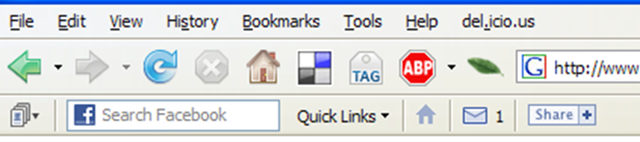
 As part of my continued experimentation with Facebook, I recently installed the Facebook Toolbar for Firefox and have to say that I’m quite impressed. Now, this toolbar isn’t new… it was released back in November 2006, but I just hadn’t tried it out yet.
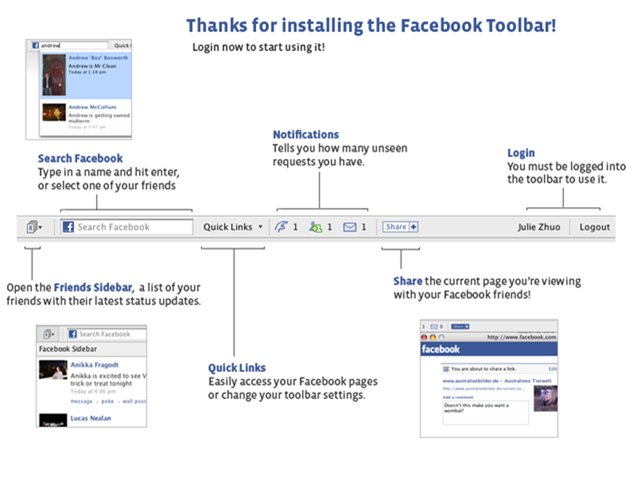 As shown in the image to the right (from Facebook’s web site), the toolbar offers a good number of features. I haven’t really used the “search Facebook” feature, but I definitely do like the notifications that appear telling you how many messages or friend requests you have. With a single click, you can jump directly to that part of your inbox. Even more useful to me is the “house” icon that takes you directly to your Facebook home page. Great way to jump there when you want to. The “Quick Links” feature similarly gets you to other parts of Facebook.
I also like the “Share” button that lets you easily post a link with commentary to your internal Notes page inside of Facebook. In a way, it’s similar to the del.icio.us add-on to Firefox that I use… a pop-up appears, you enter the commentary and press the submit button. Of course, this toolbar only posts inside the walled garden of Facebook… but it is a nice quick way to get info posted there.
 Perhaps one of the greatest things I like about the toolbar is the fact that after you install it you get pop-up “toast” notifications when friends update their status message, send you messages, add Notes, etc. So now I get toast pop-ups for Facebook along with those pop-ups for various IM notifications. I have to say it’s rather nice… but then again, I don’t have a zillion “friends” in Facebook so that I’m always seeing status updates. If I did, this could be a bit annoying. For now, though, while I continue my experimentation, I do find it quite useful.
All in all, the Facebook Toolbar has already made my personal use of Facebook more productive. If you are looking for a way to enhance your use of Facebook, do check it out.
I’ve had this installed for a few months now, and it’s only moderately useful. I think it needs to be able to do more because it’s only notifying me of things I already get via email. I look forward to seeing it updated to perhaps (somehow) incorporate the widgets Facebook opened up to recently.